Docs · Guide
Show your product, signed in.
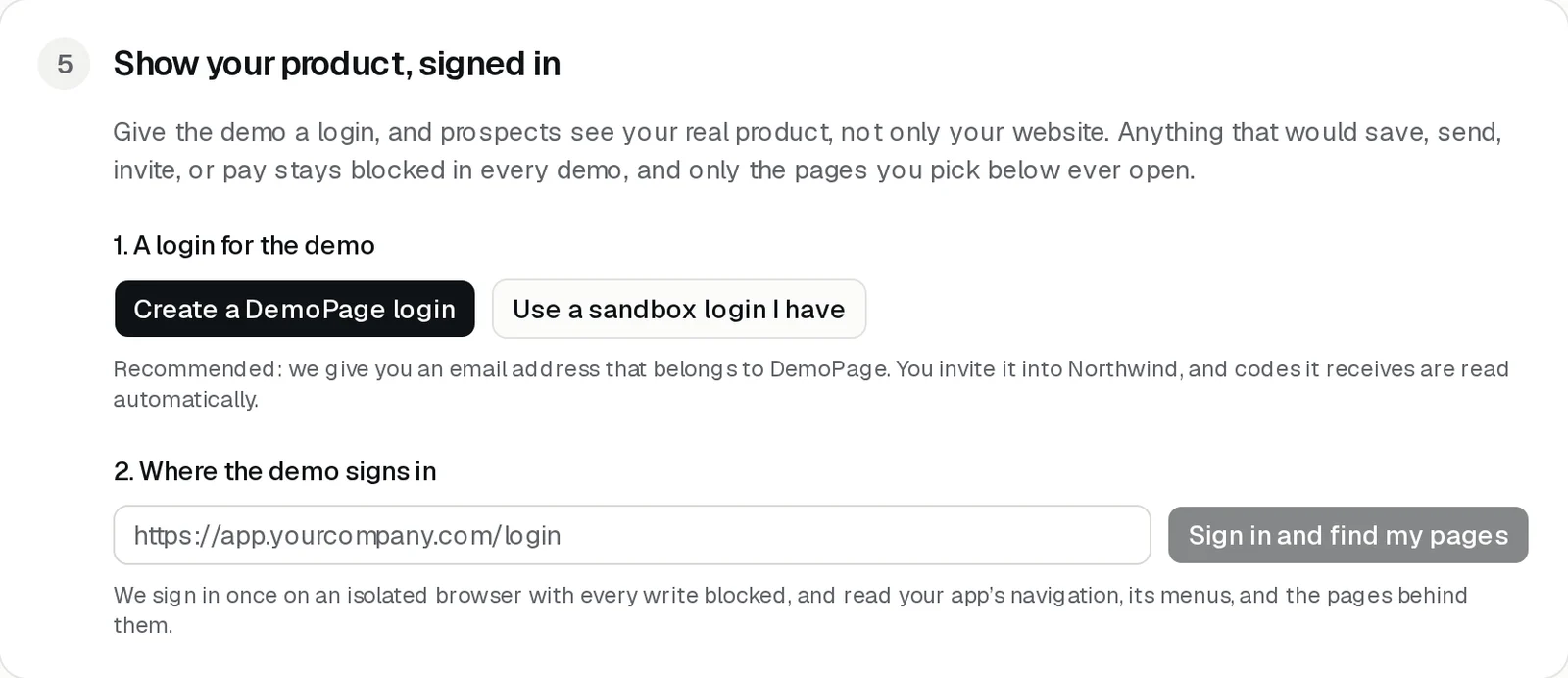
Without a login, demos show your public website. To train the guide on the product, sign into a sandbox or give us one. Invite a DemoPage login into a sandbox or trial workspace, or save a sandbox login you already have. Then pick the signed-in pages a customer may see. Anything that would save, send, invite, or pay stays blocked.
Option 1: a DemoPage login
We recommend this one. DemoPage gives you an email address that belongs to DemoPage, and reads the sign-in codes and links your product sends to it.
- 1In your portal, open Show your product, signed in, and press Create a DemoPage login.
- 2Copy the address. It looks like yourcompany-abc123@agents.demopage.io.
- 3In your product, invite that address as a user, ideally in a sandbox or trial workspace.
- 4The invite shows up in the inbox under the address. Open it and set the password shown under Show password.

Option 2: a sandbox login you have
- 1Press Use a sandbox login I have.
- 2Enter the email and password, and press Save.
Use a sandbox or trial workspace, not a real customer's account. The password is stored encrypted on our server and never shown in a demo.
Find your signed-in pages
- 1Under Where the demo signs in, enter your sign-in page, like https://app.yourcompany.com/login.
- 2Press Sign in and find my pages. An isolated browser signs in once, with every write blocked, and reads your navigation, its menus, and the pages behind them.
- 3Tick the pages demos may open and press Show pages in demos. Each one is loaded, signed in, the way a demo will load it. Any that don't load stay out.
You can find pages 4 times a day.
Keep these out of the demo account
- Real customer data. Use made-up records.
- Admin or billing access you wouldn't show a prospect.
- Passwords, API keys, and payment details.
More guides
- Set up DemoPageFrom sign-up to a live demo on your site: pages, embed, leads, and signed-in screens.
- Add the demo button to your sitePaste one script tag on any site builder, or use your own button.
- Choose pages, and who gets a live demoKeep the pages the demo may show, and decide whose live demo waits for you.
- Get lead alerts in SlackPost who watched your demo, what they asked, and a recap link into a Slack channel.
- Connect your CRMRecord a demo for each new lead from HubSpot or Zapier.
- Read your demo resultsWhat each number means, the questions buyers asked, and your latest leads.
- Build your demo from your codeConnect Cursor, Claude Code, Codex, or ChatGPT to map your screens from code.