Docs · Guide
Read your demo results.
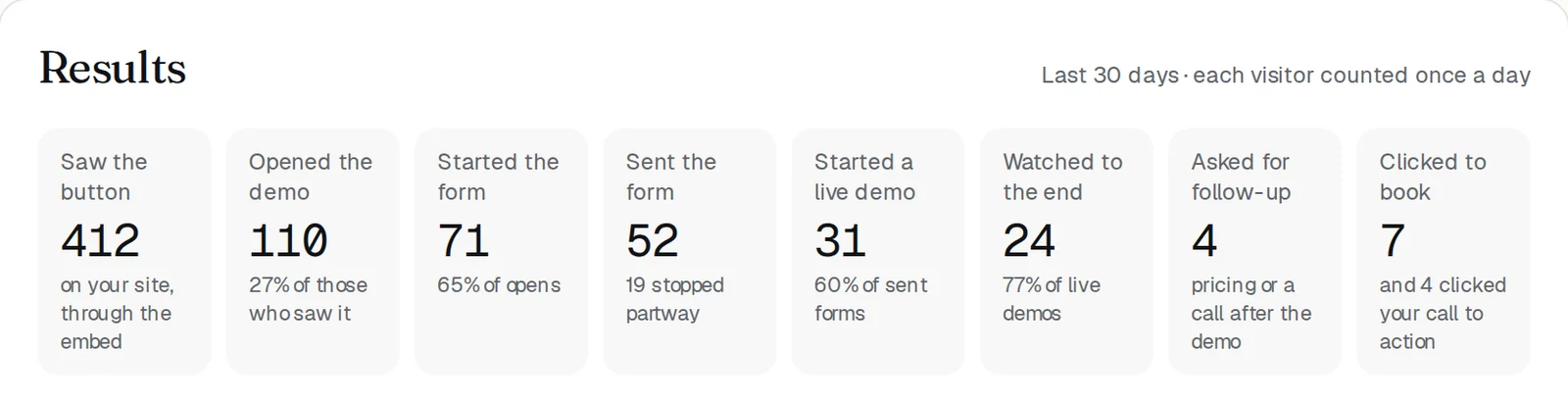
Your portal shows the last 30 days of your demo: how many people saw the button, opened the demo, started a live demo, and watched to the end. It also shows what they asked most, and your latest leads with what they said. Each visitor is counted once a day.
The numbers
Results is at the bottom of your portal once you're live. Each number counts people, once a day, over the last 30 days.
- Saw the button: your embed's button showed on your site.
- Opened the demo: from the button or the link.
- Started the form and Sent the form: the three questions before a demo.
- Started a live demo: the rest of those who sent the form watched the recording.
- Watched to the end: every stop of the live demo was shown.
- Asked for follow-up: pricing or a call, after the demo.
- Clicked to book: your booking link, plus clicks on your call to action.
What prospects asked most
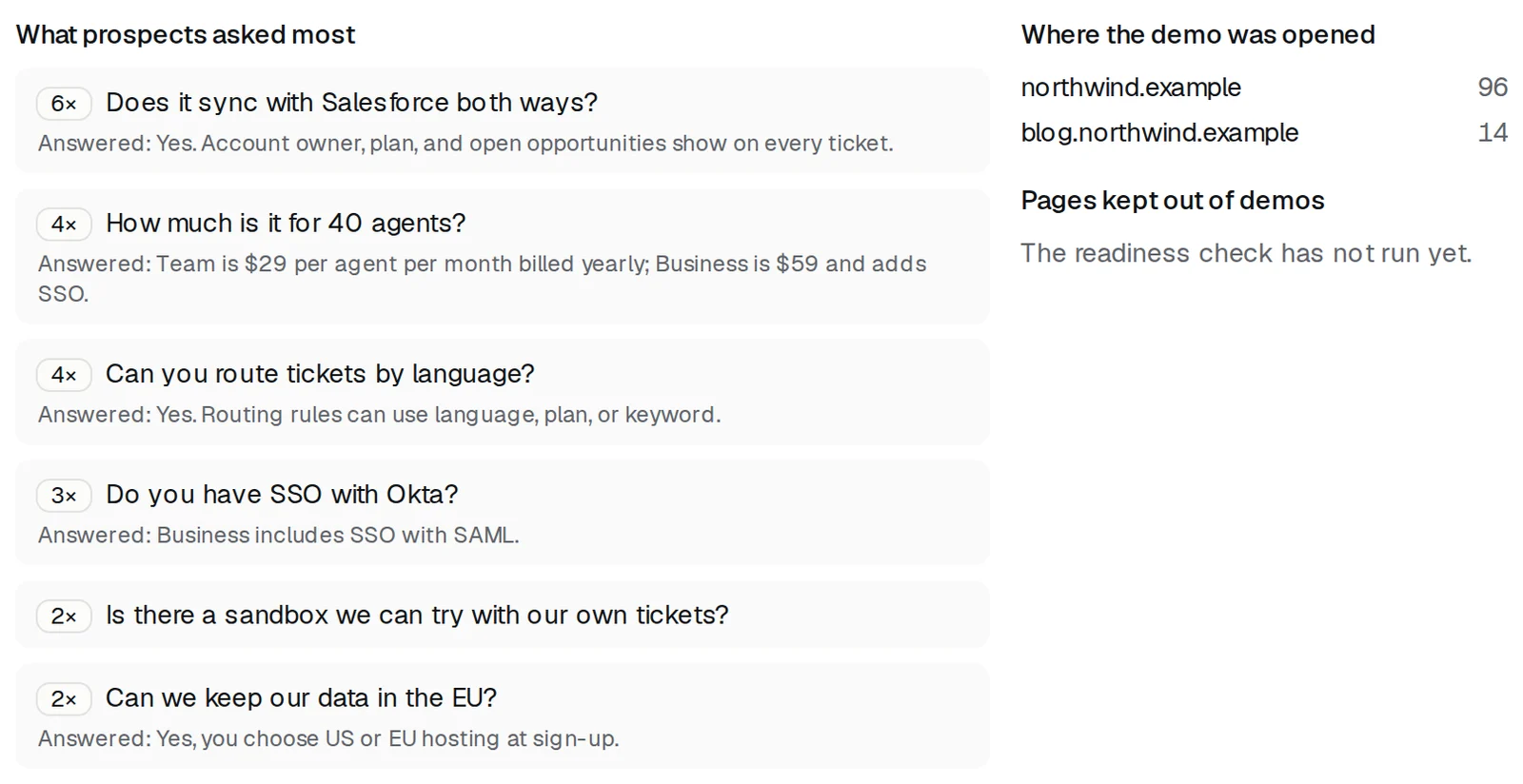
Questions worded alike are grouped, most asked first, with the answer the demo gave. A question with no answer means your pages don't cover it yet: add it to a page, or tell us.
Where it was opened, and pages kept out
- Where the demo was opened lists the sites that show your button, and how many opens each had.
- Pages kept out of demos lists pages the nightly check found not loading as expected. Fix the page, then check it again.
Latest leads
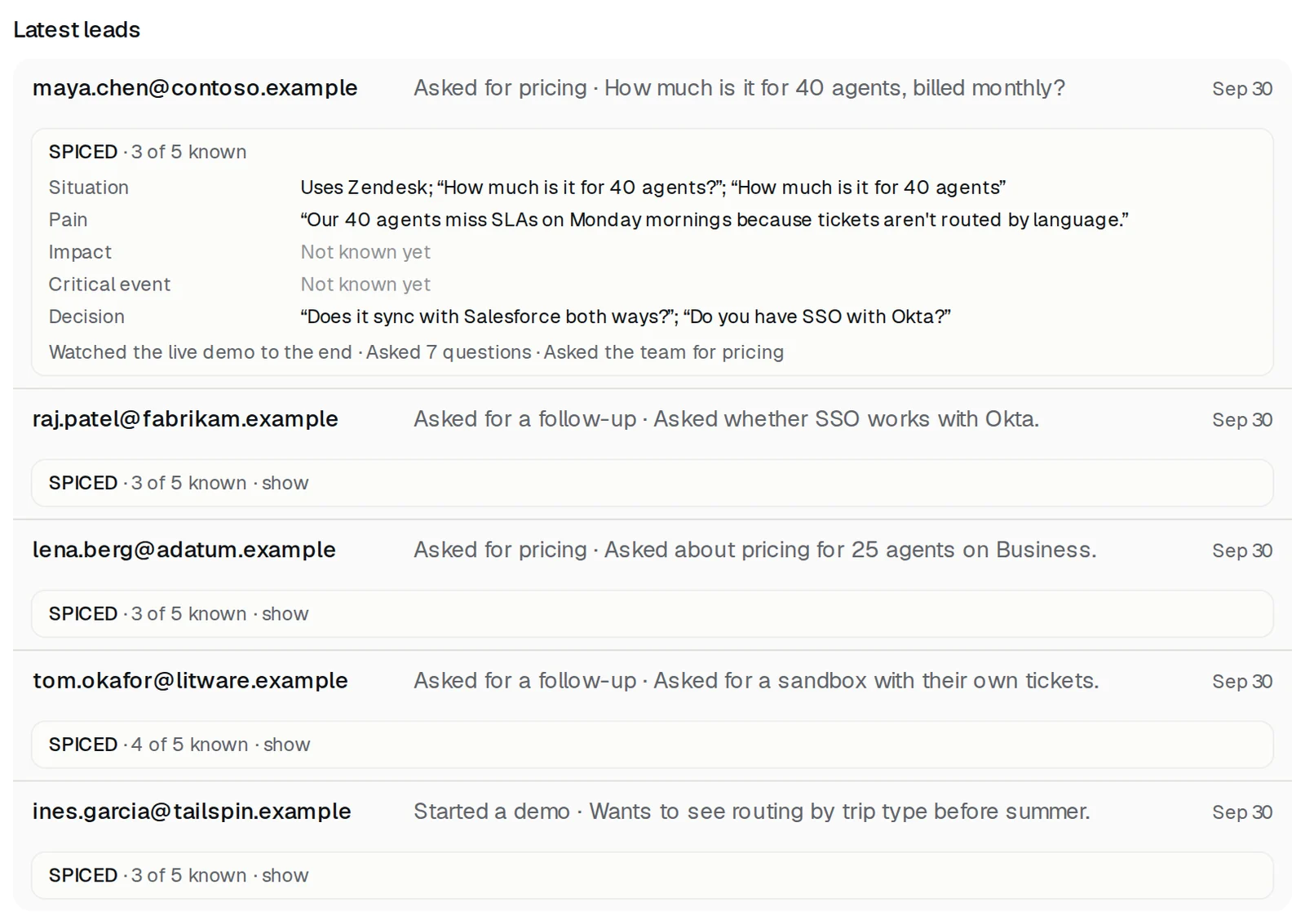
Each lead shows their work email, what they asked for, and when. Open the card under a lead to see what they said, sorted into your qualification framework; its name, such as SPICED, is on the card. Anything they didn't mention says Not known yet. Nothing is guessed.
Recaps and the Monday email
- When a live demo ends, your team gets an alert with what they saw and asked, and a link to the recap.
- Each Monday, your alert inboxes and Slack channel get the week: the questions asked most, the ones your pages didn't answer, the tools buyers use, and where demos ended early. Quiet weeks are skipped.
More guides
- Set up DemoPageFrom sign-up to a live demo on your site: pages, embed, leads, and signed-in screens.
- Add the demo button to your sitePaste one script tag on any site builder, or use your own button.
- Choose pages, and who gets a live demoKeep the pages the demo may show, and decide whose live demo waits for you.
- Show your product, signed inGive the guide a sandbox login so it can learn the product, then pick the pages a customer may see.
- Get lead alerts in SlackPost who watched your demo, what they asked, and a recap link into a Slack channel.
- Connect your CRMRecord a demo for each new lead from HubSpot or Zapier.
- Build your demo from your codeConnect Cursor, Claude Code, Codex, or ChatGPT to map your screens from code.