Short answer
Add data-button="none" to the script to hide the DemoPage button, then add data-demopage-open to any link or button on your page. Clicking it opens your demo over the page.
Example
Point the link at your demo page, as in the example. If the script can't load, the link still opens the demo, on its own page.
<script src="https://app.demopage.io/embed.js" data-demo="your-link" data-button="none" async></script>
<a href="https://app.demopage.io/d/your-link" data-demopage-open>See a live demo</a>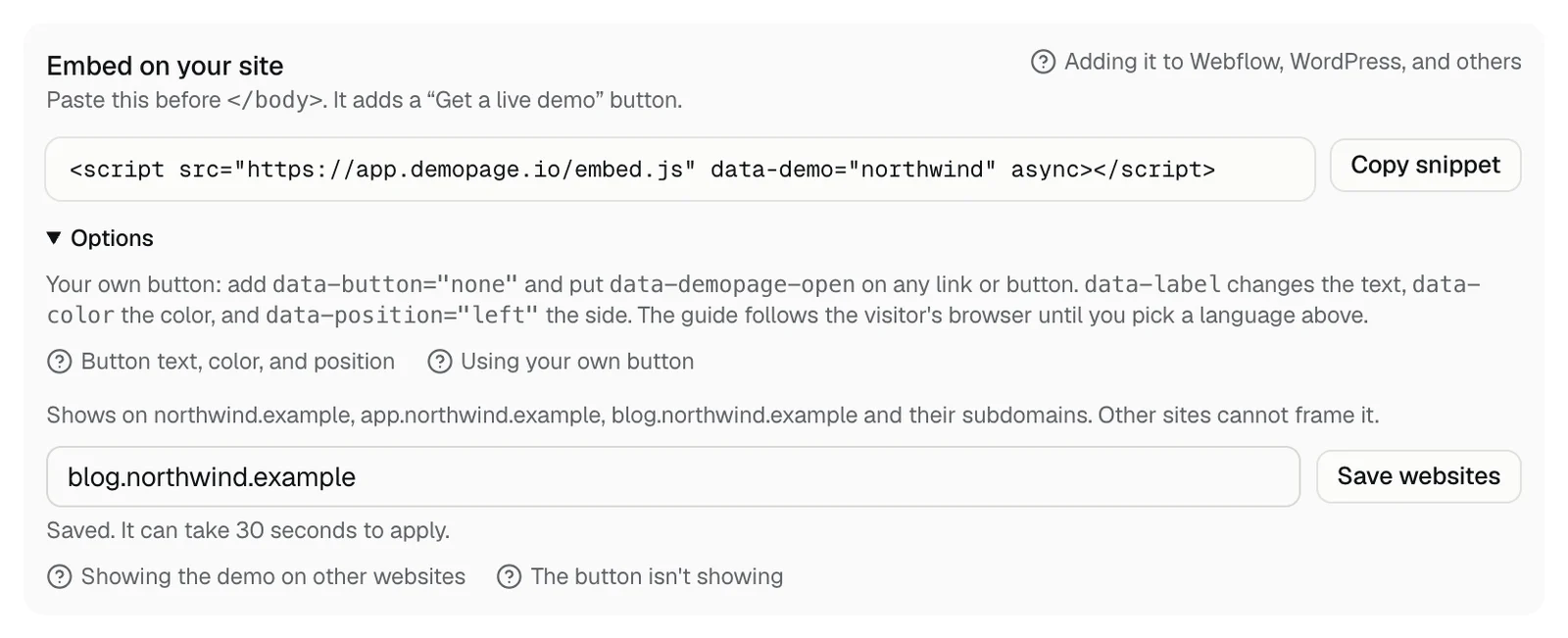
Good to know
- The script still goes before </body>. The attribute can go on any number of links or buttons, including ones added to the page later.
- With data-button="none", data-label, data-color, and data-position do nothing, because there is no DemoPage button to style.
- Results counts Saw the button when a page loads with a data-demopage-open link on it, and Opened the demo when the demo opens. What each number means
- Without data-demopage-open on a page, nothing opens there.
- Visitors close the demo with the × button or by clicking outside it, and the focus goes back to your link.
Related questions
Didn't answer your question?
Talk to us with your demo link and the email you signed up with, or write to hello@demopage.io. We'll answer, and add it to the Help Center.