Short answer
The Results tab shows your last 30 days, from people who saw your button to people who clicked to book a call. Below the numbers are the questions asked most, where the demo was opened, pages kept out of demos, and notes from leads. Most numbers count each visitor once a day, while every live demo counts.
The numbers
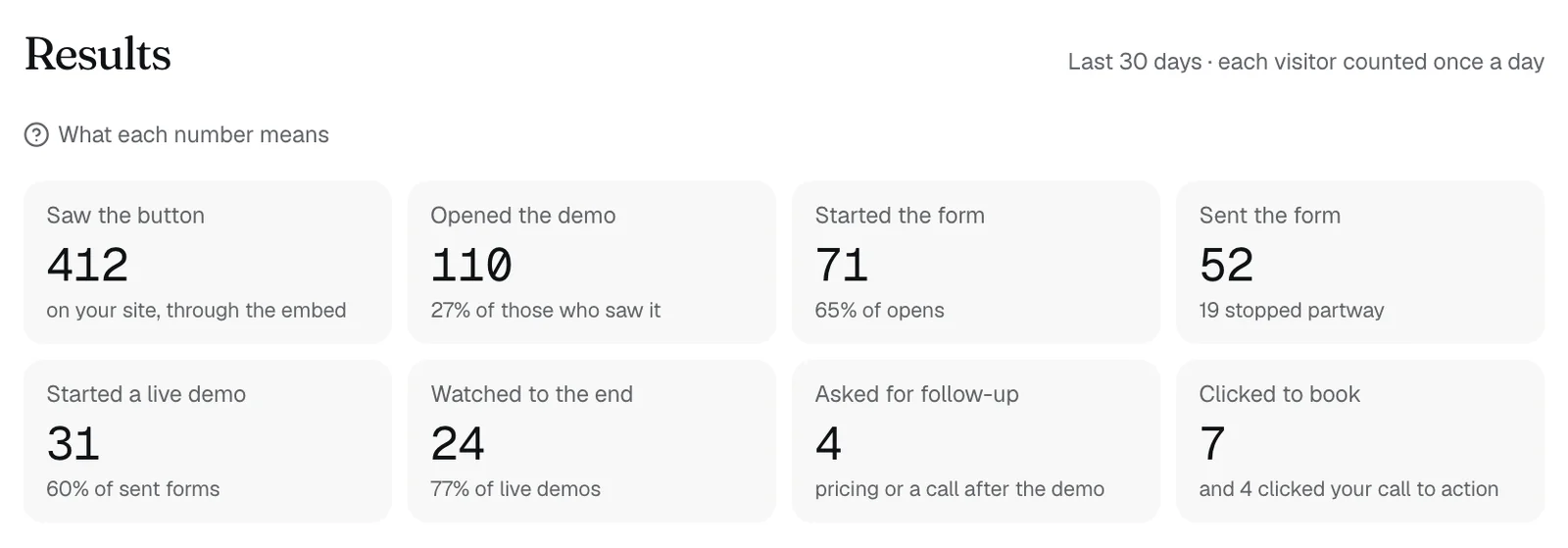
- Saw the button: your button showed on a page of your site, through the embed.
- Opened the demo: they opened it from your button or your demo link.
- Started the form: they began filling in the form before the demo.
- Sent the form: they sent it and a demo opened. Each one is a lead with a work email. When fewer sent it than started it, the note under the number says how many stopped partway.
- Started a live demo: live demos that began. Everyone else who sent the form watched the recording.
- Watched to the end: live demos that showed every stop.
- Asked for follow-up: people who asked about pricing, or asked your team to follow up. See following up with a lead.
- Clicked to book: clicks on your booking link. Clicks on your call-to-action button show under the number.
How they're counted
- Every number covers the last 30 days.
- Saw the button, Opened the demo, Started the form, Sent the form, and Clicked to book count each visitor once a day.
- Started a live demo and Watched to the end count every live demo, so one visitor can count more than once.
- Asked for follow-up counts a lead once for pricing and once for a follow-up, if they asked for both.
- Under most numbers, a note gives it as a share of the step before, such as 54% of opens.
- A later number can be higher than an earlier one. People who open your demo link never see the button, so Opened the demo can be above Saw the button.
Also on the tab
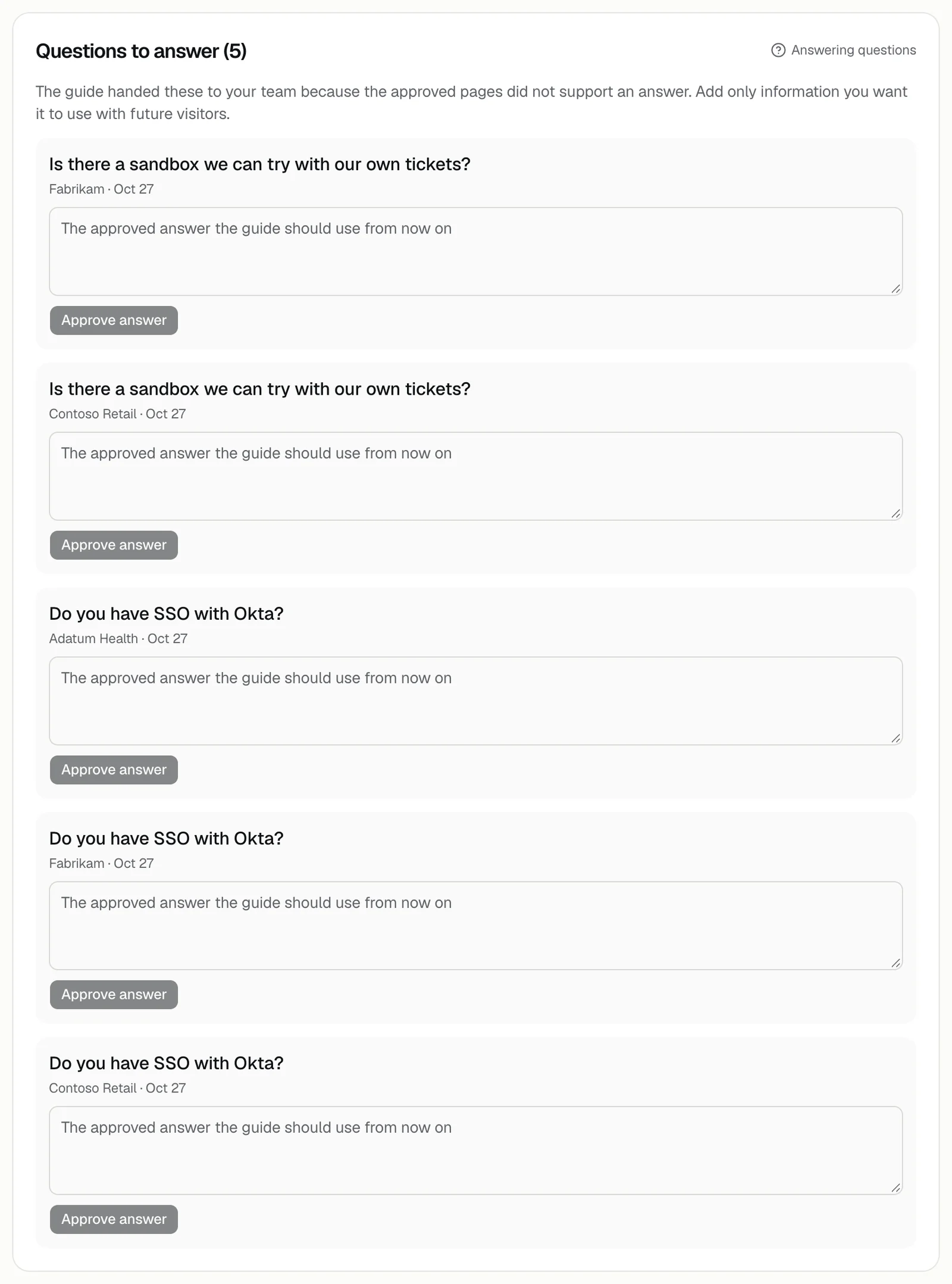
- Questions to answer: shown above the numbers when the demo couldn't answer a question and handed it to your team. See unanswered questions.
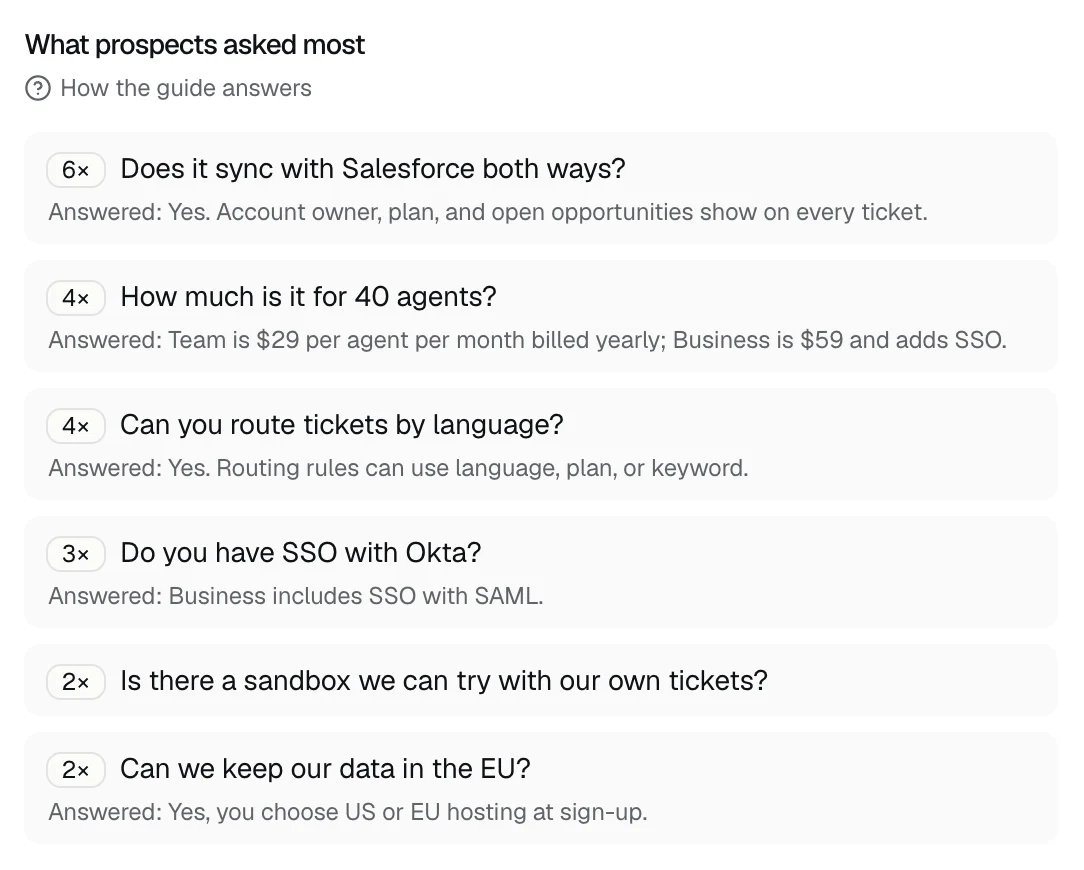
- What prospects asked most: up to 8 questions from the last 30 days, with ones worded alike grouped and the most asked first. Under each, Answered: shows the newest answer the demo gave.
- Where the demo was opened: the 6 websites with the most opens, counted over all time, not only the last 30 days.
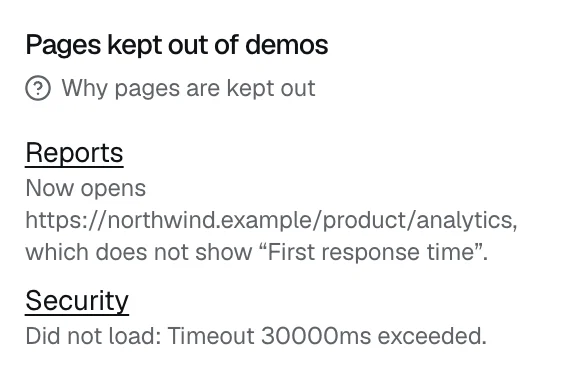
- Pages kept out of demos: pages that no longer loaded as expected when DemoPage last checked them, with the reason. See why a page was kept out.
- Notes from leads: shown when a recent lead told the demo something about their needs. Open it to read their qualification cards.
Before anyone visits
Until your first visitor, the tab says Results appear after the first visitor, or No visitors yet. To get visitors, add the button to your site or share your demo link.
Leads and Home
Your newest leads are on the Leads tab, under Latest leads. See seeing your leads.
Home shows four of these numbers under shorter names. See the numbers on Home.
Related questions
Didn't answer your question?
Talk to us with your demo link and the email you signed up with, or write to hello@demopage.io. We'll answer, and add it to the Help Center.