Short answer
In Demo settings, under Language and voice, pick a language, or leave it on Visitor's browser. Your demo link and the button on your site then start in that language, and visitors can still change it. To set a language for one page or one link, add it to the script tag or the link.
In the portal
- 1Open the Demo settings tab.
- 2Under Language and voice, pick a language from the menu. Languages are listed by their own names, like Deutsch for German. Your pick is saved as soon as you make it.
- 3Press Hear the guide to listen to that language's voice. Each language has one voice, so the voice changes with the language.
- 4Press Open demo to see it the way a visitor does.
Visitor's browser starts each visitor in their browser's language when it's one of the 17, and in English otherwise.

What changes
- Your demo link and the button already on your site start in the new language. You don't need to paste the snippet again.
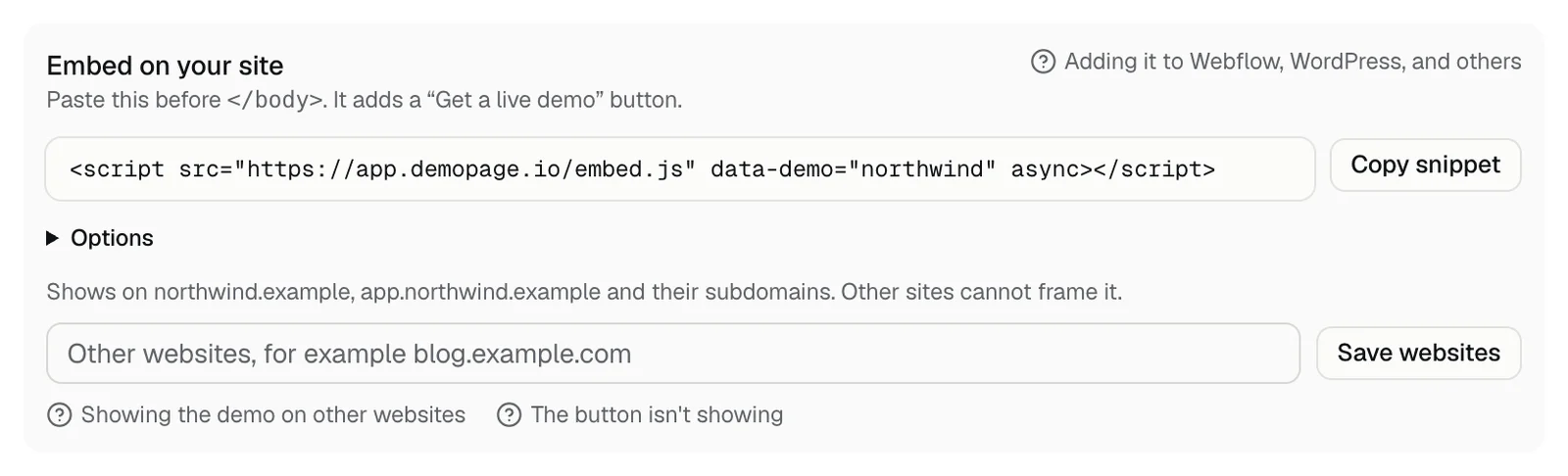
- Copy link on the Home tab, and the snippet under Embed on your site, now include the language, like ?lang=de or data-language="de". Under Options, it says The snippet already starts in the language you picked.
- A language in a link or snippet wins over this setting. A link or snippet you copied before keeps its language, so copy it again after you change the setting.
- Visitors can still change the language from the Language menu on the start screen.
- Try it before you share it: trying your demo.
For one page or one link
- On a page of your site: add data-language="es" to the script tag to open the demo in Spanish there.
- In a link: add ?lang=de to the end of your demo link, like app.demopage.io/d/your-link?lang=de. If the link already has a ? in it, add &lang=de instead.
- Use the two-letter codes from the language list. A code with a region, like pt-BR, is ignored.
- Both win over the language in Demo settings, and visitors can still change it.
If it doesn't save or play
- The voice is not available right now: the voice service didn't answer. Try again later.
- You've heard the guide several times this hour. Try again later: Hear the guide plays up to 30 times an hour.
- Nothing plays and there's no message: check that your sound is on and the browser tab isn't muted.
- With Visitor's browser picked, Hear the guide plays the English voice.
- Could not save the language: pick it again, and contact us if it keeps happening.
Related questions
Didn't answer your question?
Talk to us with your demo link and the email you signed up with, or write to hello@demopage.io. We'll answer, and add it to the Help Center.