Short answer
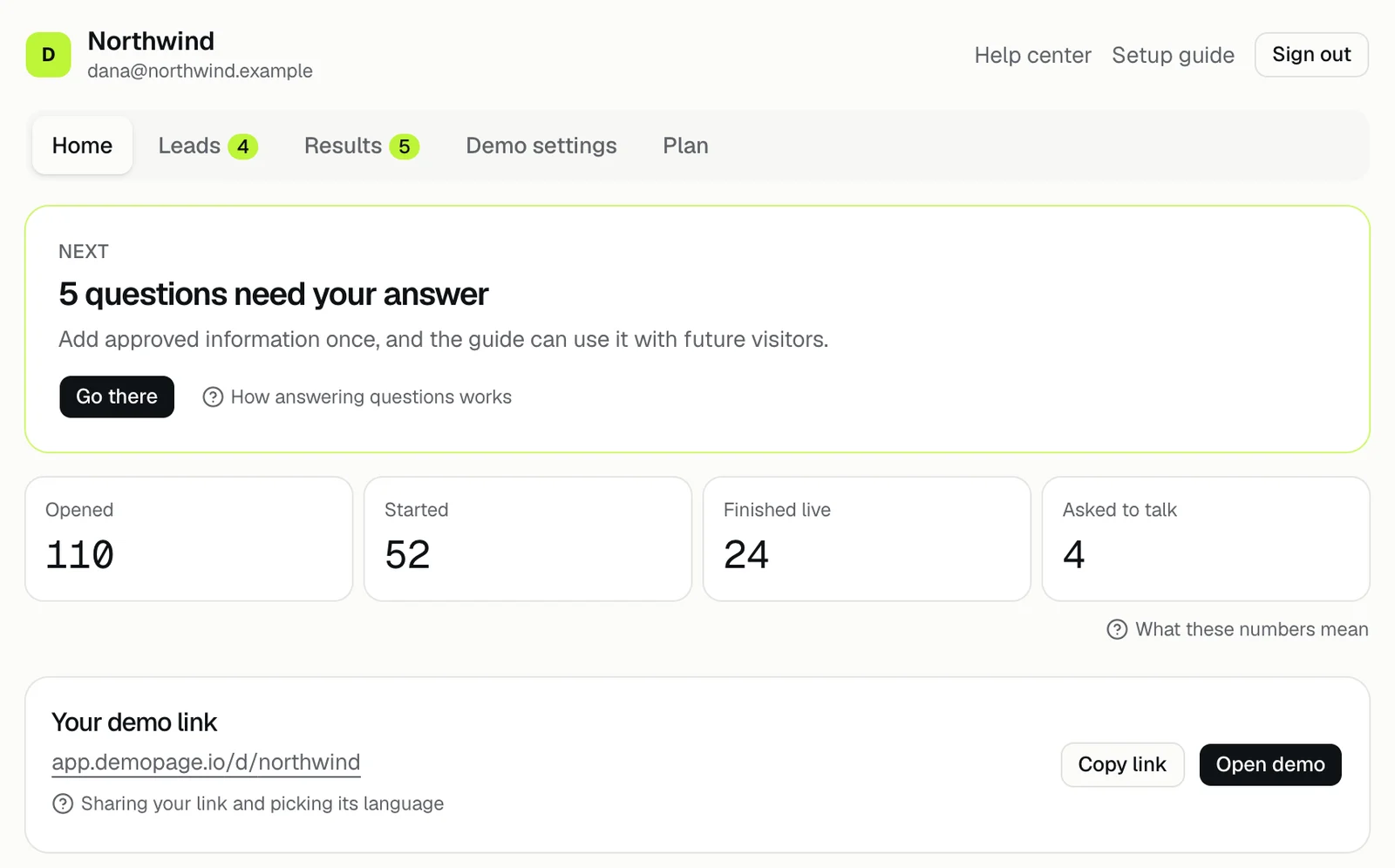
Home shows four counts from your last 30 days: who opened your demo, who started one, live demos watched to the end, and leads who asked to talk. Press any of them to open the Results tab, where each has a fuller name.
The four numbers
- Opened: people who opened your demo, from your button or your link. On the Results tab it's Opened the demo.
- Started: people who sent the form and began a demo, the recording or live. On the Results tab it's Sent the form.
- Finished live: live demos that showed every stop. On the Results tab it's Watched to the end.
- Asked to talk: leads who asked about pricing or asked your team to follow up. On the Results tab it's Asked for follow-up. See following up with a lead.
How they're counted
- Every number covers the last 30 days.
- Opened and Started count each visitor once a day.
- Finished live counts every live demo, so one person can count more than once.
- Asked to talk counts a lead once for pricing and once for a follow-up, if they asked for both.
- Started includes people who watched the recording, so it's often well above Finished live.
The Next card
Above the numbers, the Next card shows the one thing to do next, such as 2 questions need your answer, 3 leads asked to talk, or 1 live demo request waiting. Go there opens the tab where you do it.
When nothing is waiting, it suggests a setup step, such as Add the link prospects use to book, or says Your demo is ready.
To act on each, see answering questions and approving a request.
If it says Open the demo once before you share it, see trying your demo.
Your demo link
Below the numbers, Your demo link shows the address of your demo, with Copy link and Open demo. See sharing your demo link.
For the rest of the tabs, see what's in your portal.
Related questions
Didn't answer your question?
Talk to us with your demo link and the email you signed up with, or write to hello@demopage.io. We'll answer, and add it to the Help Center.