Short answer
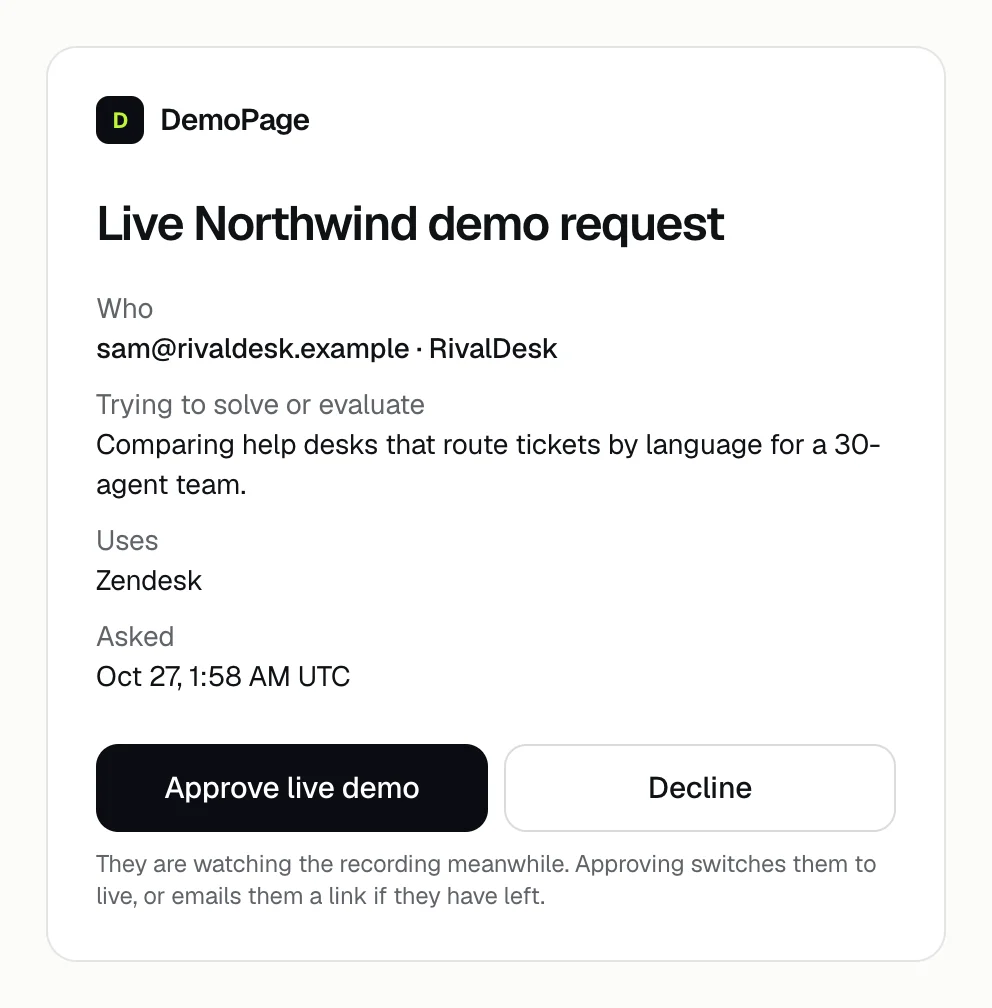
Your alert email and Slack message have an Approve or decline link, and the same requests are listed under Live demo requests on the Leads tab. Approving switches a visitor who is still watching to a live demo, and emails one who left a link to start it.
Answer a request
- 1Open the alert's Approve or decline link, or open the Leads tab and find the request under Live demo requests.
- 2On the page the link opens, press Approve live demo or Decline. On the Leads tab, press Approve or Decline.
- 3A visitor who is still watching switches to a live demo. One who left gets an email titled like Your live Northwind demo is ready, with a link that starts one live demo and works for 48 hours after you approve.

While a request waits
- Which visitors wait depends on Who gets a live demo. See who gets a live demo.
- The visitor watches the recording meanwhile.
- The alert is titled with their email and asked for a live Northwind demo. Asking again while their request is open doesn't send another alert.
- Opening the link only shows the request. Nothing is decided until someone presses Approve live demo or Decline, so link previews in Slack and email can't approve anything.
- Live demo requests shows on the Leads tab while any request is listed, and always when the option is We approve each request. Home's Next card can also show how many are waiting.
- A request nobody answers expires after 48 hours. Its page then says This request expired after 48 hours.
After you decide
- Answered requests stay in the list with their status: Approved, not started yet; Approved and started; or Declined. Opening the alert's link again shows what was decided, such as Declined. They keep the recording.
- Approving doesn't skip your limits. If your live demos for the month or for the day are used up, the visitor keeps the recording. See running out of live demos.
- A declined visitor keeps the recording and sees The team will follow up with you by email. DemoPage doesn't send that email, so write to them yourself. See following up with a lead.
- If a teammate already answered, the Leads tab says That request was already answered or has expired.
Related questions
Didn't answer your question?
Talk to us with your demo link and the email you signed up with, or write to hello@demopage.io. We'll answer, and add it to the Help Center.