Short answer
Use your work address at your company's domain. Gmail, Yahoo, AOL, and other free or temporary inboxes can't sign up, and the domain has to receive email. When the email is on your website's domain, your demo link turns on without a review.
Why a work email
Your demo link turns on without a review when your email is on your website's domain and you confirm it. That keeps anyone from putting a live demo of a site they don't run on the web.
An address at a subdomain counts too: you@eu.acme.com works for acme.com.
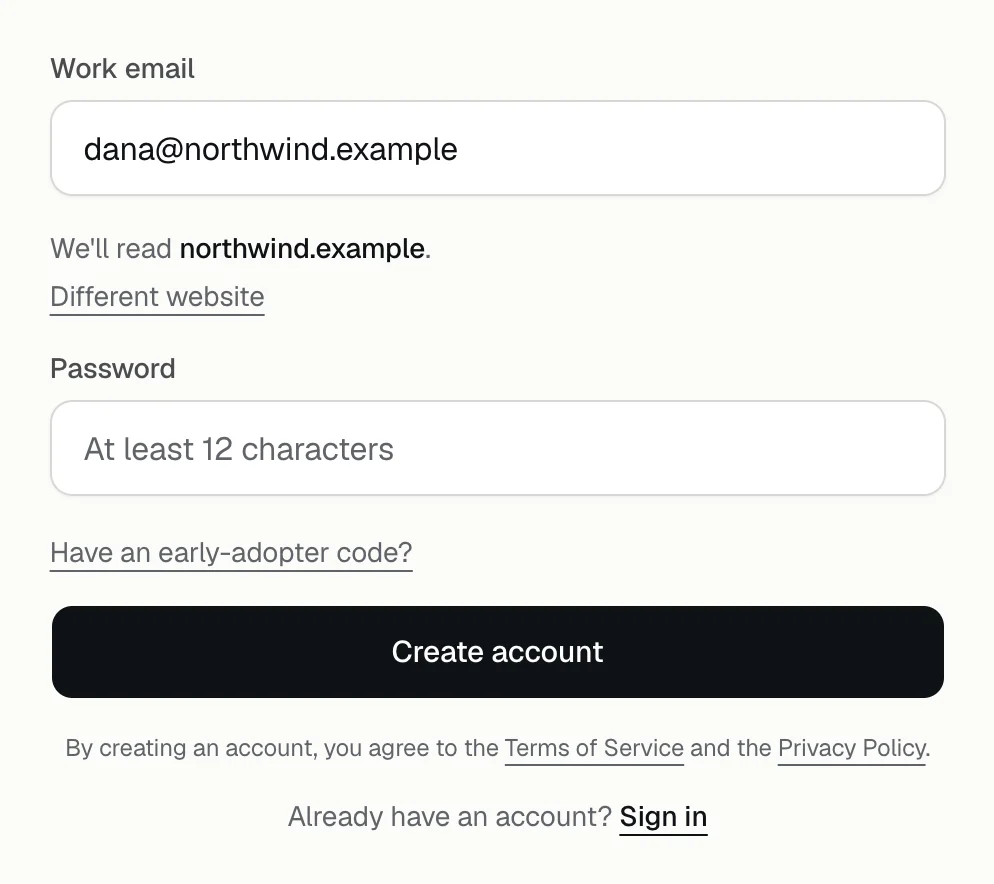
What the form takes from your email
- Your website. Under the email field, the form says We'll read yourcompany.com. Press Different website to name another https address.
- Your company name, which also names your demo link: dana@northwind.com becomes Northwind, with the link app.demopage.io/d/northwind. How the link is named
- If you keep the website the form picked, your email is on its domain, so there's no extra check.
If your email isn't on your website's domain
You can still sign up and set everything up. After you go live, the portal shows We're checking that you run yoursite.com at the top, and your demo link says This demo is not available until we approve. A button already on your site still appears, but its panel stays empty until we approve. We don't send an email when we approve, so check the portal. Why your demo isn't live yet

If the form shows a message
Every sign-up message, and what to do about it, is in Why can't I create a DemoPage account?
More than one website
Each account has one website and one demo link. Before you go live, you can point it at another website, such as the product you sell rather than your company's site; see reading a different website. Growth and larger plans include more products; see plans compared, or talk to us.
Related questions
Didn't answer your question?
Talk to us with your demo link and the email you signed up with, or write to hello@demopage.io. We'll answer, and add it to the Help Center.