Short answer
The sign-up form tells you what went wrong. Most messages have a fix you can make yourself: use your work email, pick a longer password, or sign in if the email already has an account. When sign-ups are invite-only or full for the day, request an invite or talk to us.
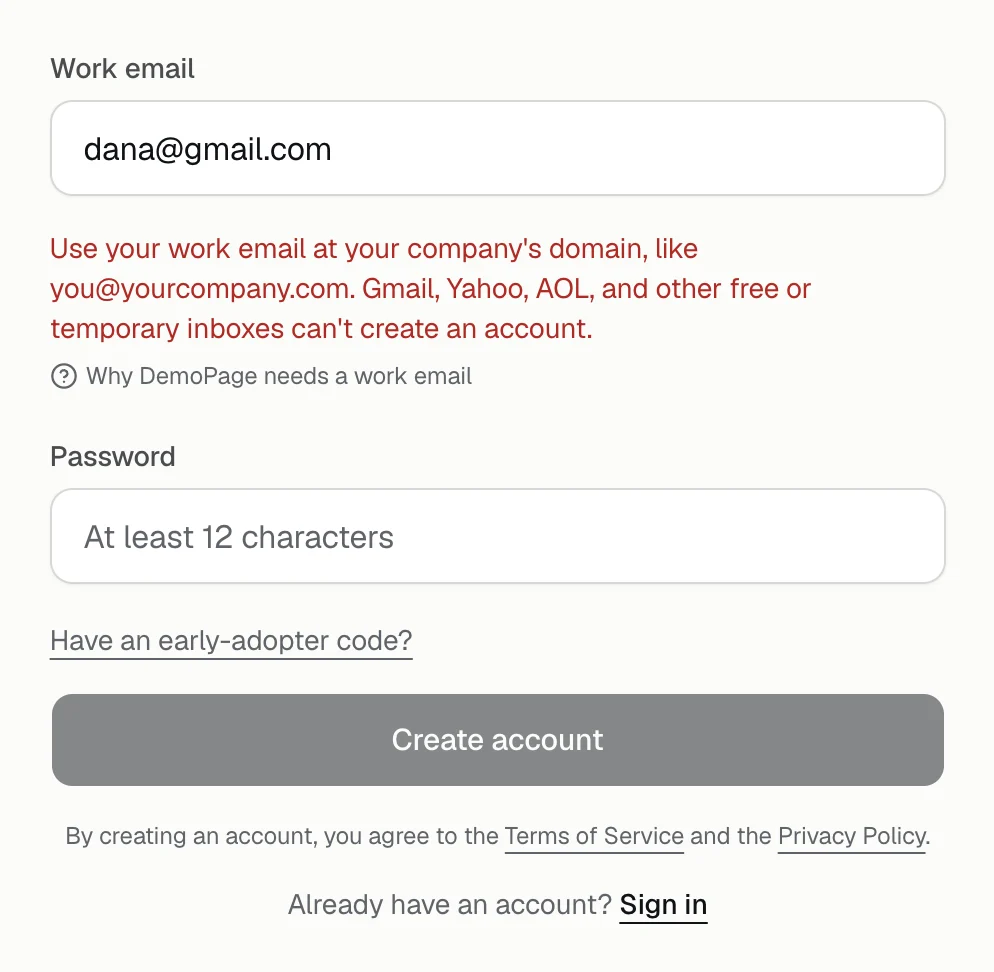
Email messages
- Use your work email at your company's domain: the address is a free or personal inbox, or DemoPage can't tell your company's website from it. Create account stays off until you use your address at your company's domain. Which email works
- Enter your work email: the address isn't complete. Check it for a typo.
- Temporary email addresses can't be used: the address is from a throwaway inbox service.
- We couldn't find a mail server for yourcompany.com: that domain doesn't receive email. Check how the domain is spelled.
- That email already has an account. Sign in instead: sign in, or press Forgot your password? on the sign-in page. Reset your password
Website messages
These appear when you press Different website and type an address. Type the full address, like https://yourcompany.com.
- Enter your website, starting with https://
- Your website must use https.
- Enter a public website address like https://example.com.
Password messages
- Use at least 12 characters.
- Use 200 characters or fewer.
- Pick a password that is not one repeated character.
Limits on new accounts
For any of these, you can also talk to us.
- Too many sign-ups from here. Try again in an hour: one network address can create 5 accounts an hour.
- We've had a lot of sign-ups today: DemoPage takes a set number of new accounts each day. Try again the next day.
- Sign-ups are full for now. Talk to us instead: DemoPage isn't taking new accounts at the moment.
- DemoPage is invite-only for now: new accounts need an invite, and the sign-up page asks about your team so we can email you one. An invite link works for 14 days, only for the address it was sent to, and a newer invite replaces it. If the page says That invite link has expired or was already used, ask for a new one there.
Early-adopter code messages
These are about the Early-adopter code field only. Fix the code, or clear the field to create the account without one; you can add a code later from the Plan tab.
How codes work, and what each one gives: early-adopter codes.
- That code isn't valid. Check the spelling, or leave it empty.
- That code has expired.
- That code has been fully claimed.
Something else
Could not create the account means something failed on our side. Try again, and if it keeps happening, talk to us with the address you used.
Related questions
Didn't answer your question?
Talk to us with your demo link and the email you signed up with, or write to hello@demopage.io. We'll answer, and add it to the Help Center.