Short answer
Sign up with your work email and confirm it. DemoPage reads your website, you keep the pages the demo may show and go live, and then you add one script tag to your site or share your demo link. Choose where leads go, and add a login if you want the demo to show your product signed in.
The setup in order
- 1Sign up at app.demopage.io/signup with your work email and a password of at least 12 characters. The trial needs no card. Which email works
- 2Open the confirmation email and press the link. Nothing runs until you do. If you signed up from an invite, your email is already confirmed. No email?
- 3DemoPage reads your site and lists the pages the demo can show and cite. The portal updates by itself while it reads. How reading works
- 4Under Guardrails in the setup steps, keep the pages the guide may open and quote, then press the go-live button above the list. It shows how many pages you kept, like Go live with 6 pages. You need at least one page of your site; a presentation goes live alongside it. What the guide can open
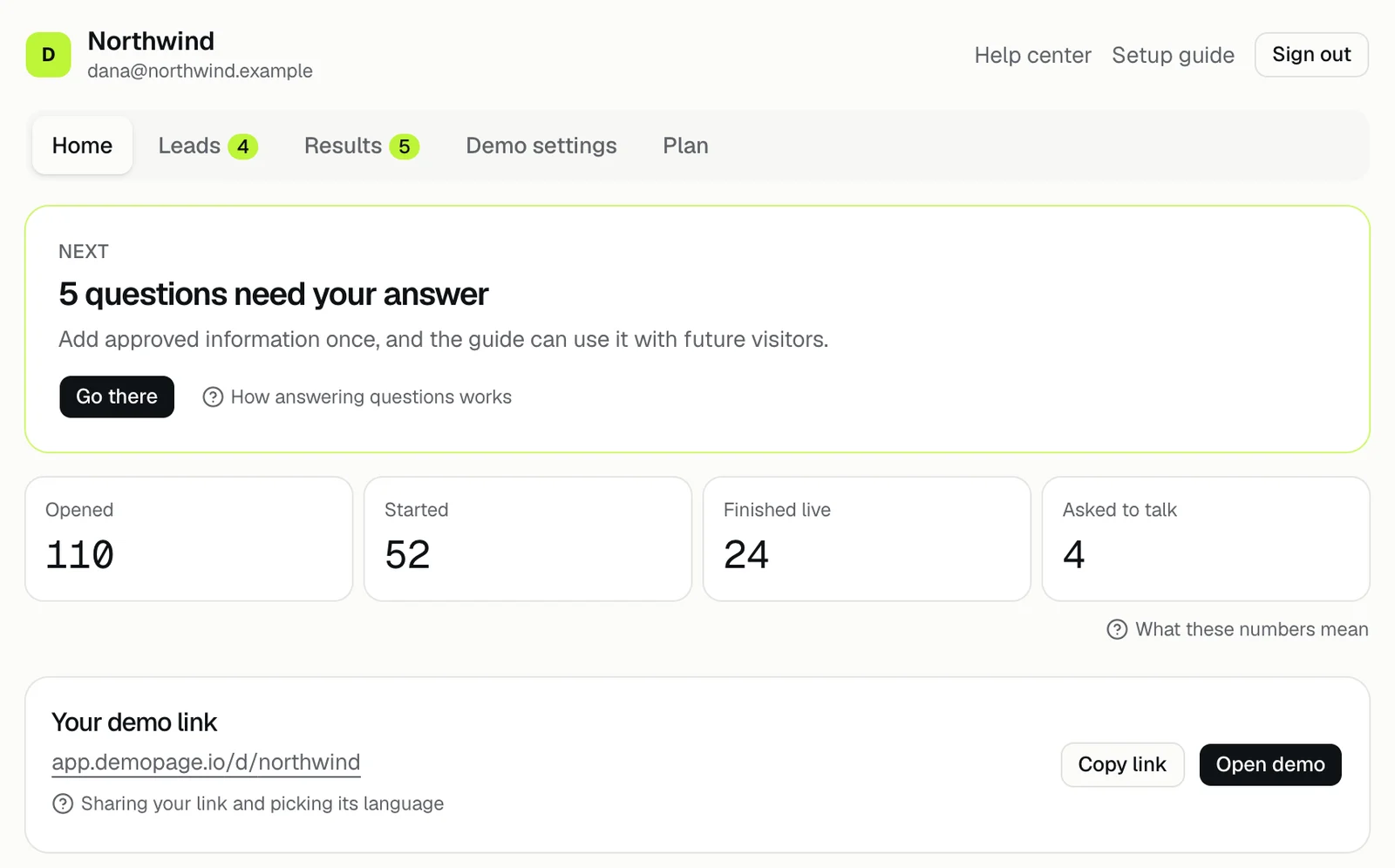
- 5Your portal now has five tabs: Home, Leads, Results, Demo settings, and Plan. What's in your portal
- 6Open the demo once and listen to the guide before you share it. Trying your demo
- 7Copy the script tag from Embed on your site in Demo settings and paste it into your site, or copy the link under Your demo link on Home. Adding the button
- 8In the Leads tab, open Where alerts go to choose who hears about new leads and who may join a live demo. Until you change it, alerts go to your sign-up email, and anyone can start a live demo without your approval. Where leads go
- 9Optional: under Signed in in the setup steps, or later under Signed-in product pages in Demo settings, give the demo a sandbox login so it can show your product signed in. Signed-in screens
After you go live
Home shows the Next card with the one thing to do now and a Go there button, then the counts Opened, Started, Finished live, and Asked to talk, then Your demo link. Sharing your link
You can change pages, the start language, the guide's name, and the button inside the demo any time under Demo settings. The trial's limits are in What does the free trial include?
What the numbers on Home count: the numbers on Home.
Related questions
Didn't answer your question?
Talk to us with your demo link and the email you signed up with, or write to hello@demopage.io. We'll answer, and add it to the Help Center.