Short answer
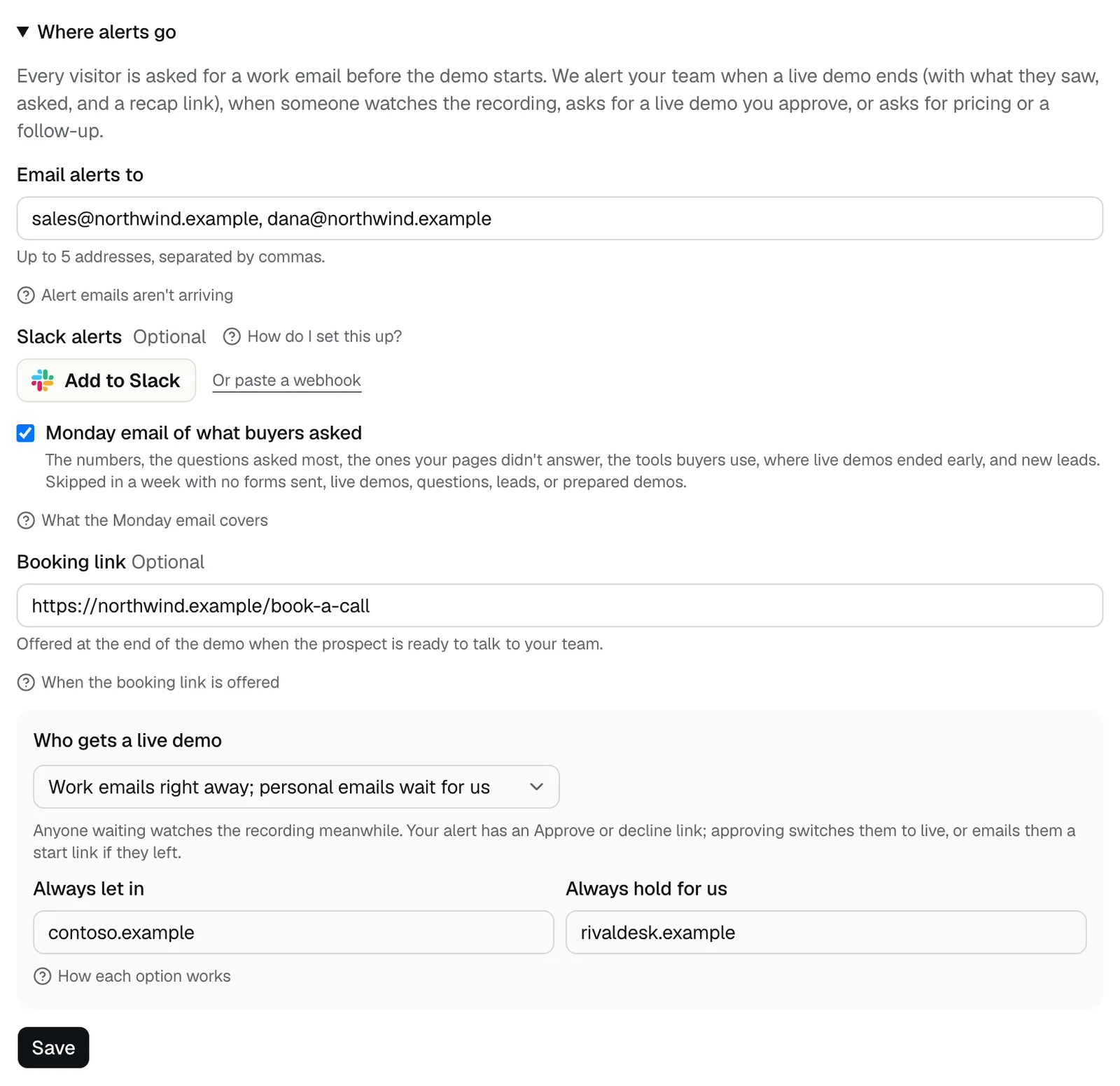
Open Where alerts go on the Leads tab, check the addresses under Email alerts to, and look in spam for alert emails from DemoPage. If the note under the field says email alerts start as soon as sending is switched on, email isn't on for your account yet. Your leads still show under Latest leads, and Slack alerts work meanwhile.
Check, in order
- 1Open the Leads tab, then Where alerts go. Email alerts to takes up to 5 addresses, separated by commas, and starts with the email you signed up with. Fix any typo, then press Save.
- 2If the note under the field says Email alerts start as soon as sending is switched on for your account, email alerts aren't on for your account yet. Talk to us, and use Slack alerts meanwhile.
- 3Search your inbox, spam, and junk for mail from DemoPage, with subjects such as jane@contoso.com finished a live Northwind demo, is watching the Northwind demo now, asked your team to follow up, or asked for a live Northwind demo.
- 4If your company filters mail, ask IT to let alert emails from DemoPage through, and check any held or quarantined mail.
- 5Check the timing. A visitor who watches the recording, or asks for a follow-up, alerts you once a day for each. Every finished live demo and every live demo request sends its own alert, and a live demo alerts you when it ends.
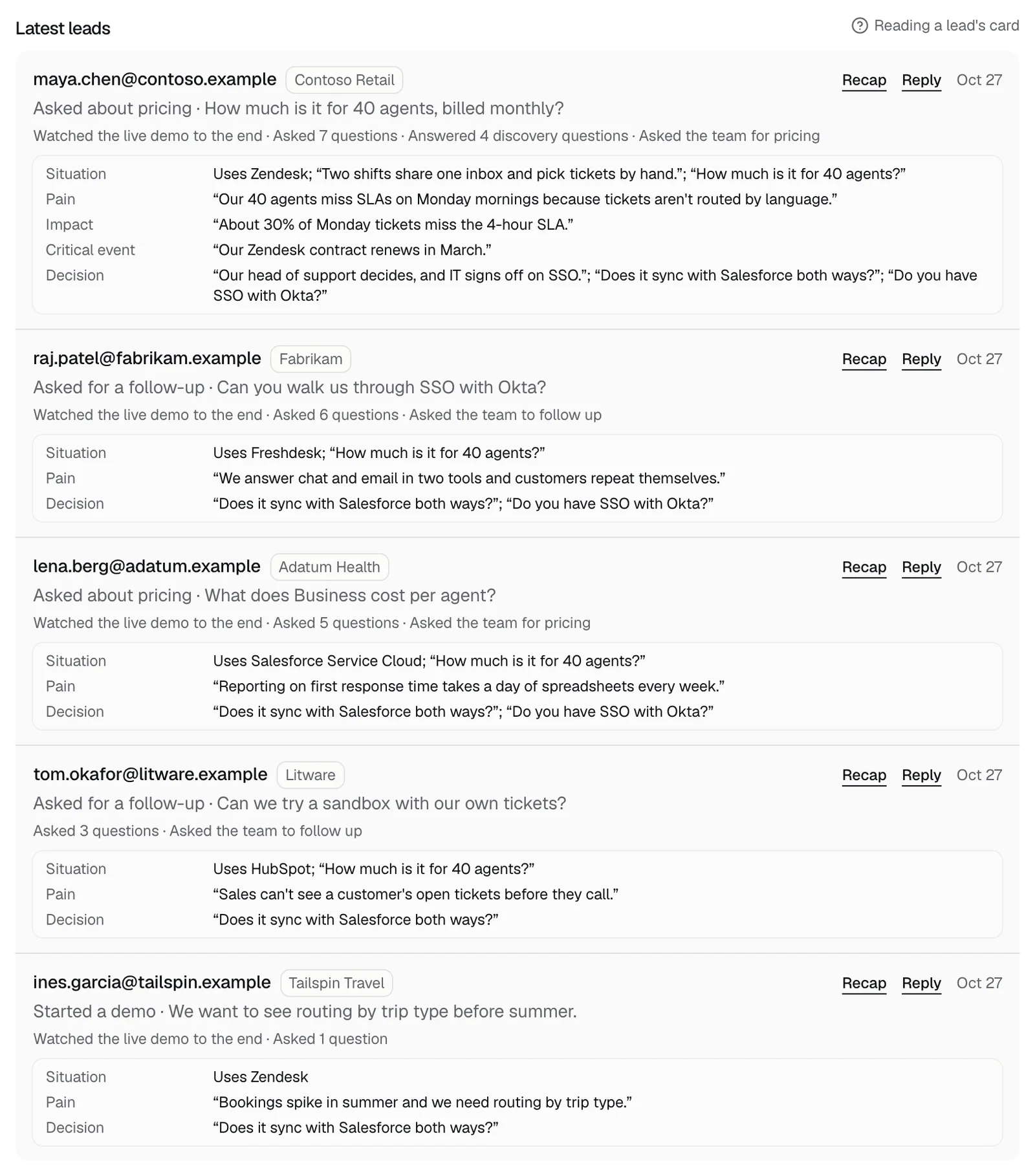
- 6Look under Latest leads on the Leads tab. It shows your 10 newest leads from the last 30 days, whether or not an email arrived. See and export leads
Messages when you save
- … is not an email address: one entry has a typo. Fix it and press Save.
- Send alerts to at most 5 addresses: remove some, or send alerts to a shared team inbox instead.
Other places alerts go
- Every finished demo as JSON, to your own system. Send finished demos to a webhook
- A weekly summary, with Monday email of what buyers asked. The Monday email
- To stop alerts for a while, see Pause alerts.
Still missing?
Talk to us with your demo link, the address you expected the alert at, and roughly when the visitor came.
Related questions
Didn't answer your question?
Talk to us with your demo link and the email you signed up with, or write to hello@demopage.io. We'll answer, and add it to the Help Center.