Short answer
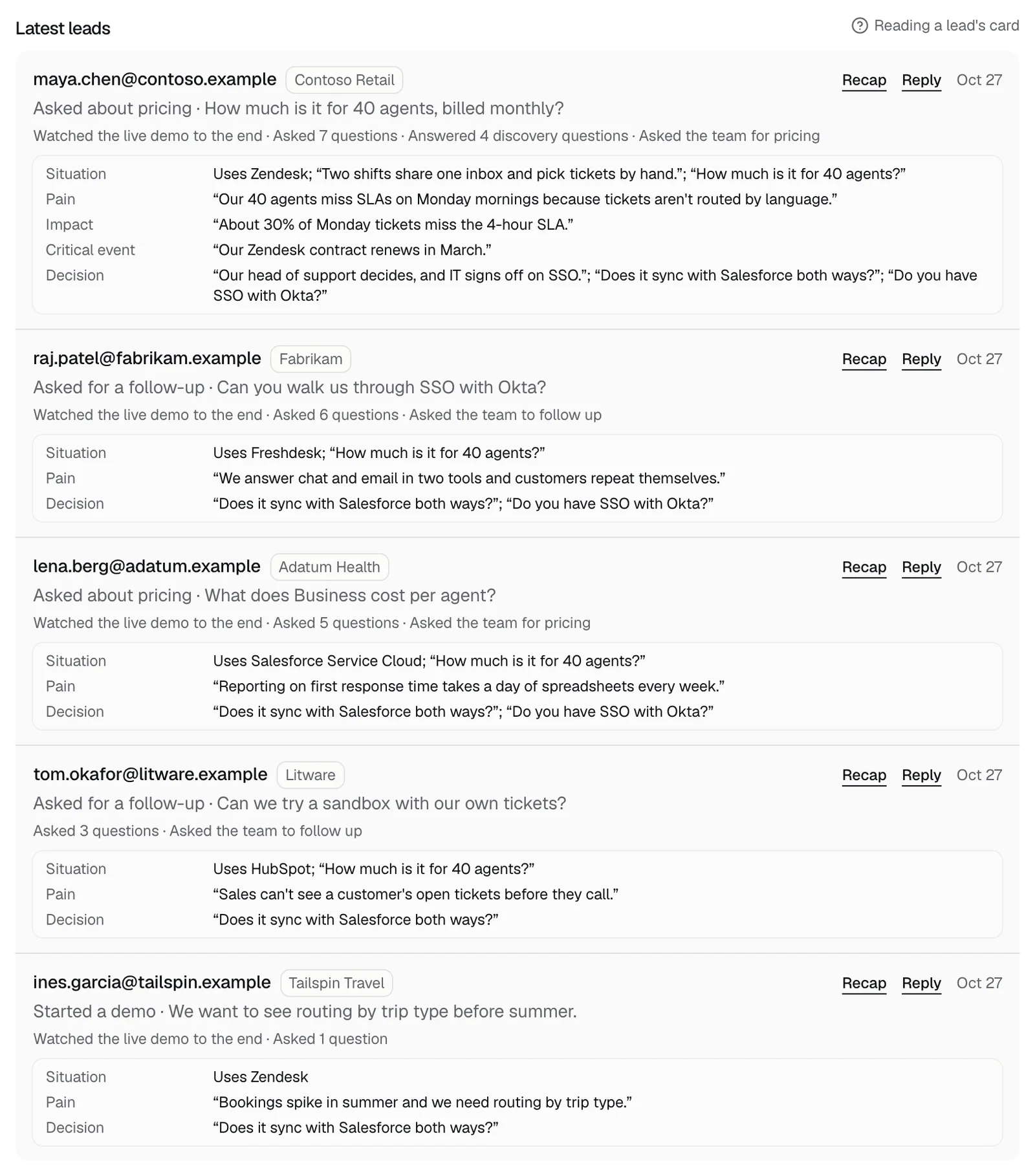
The Leads tab lists your 10 newest leads from the last 30 days under Latest leads, with Reply and, after a live demo, Recap. There's no export button. To keep every lead, send each one to a webhook, or keep your alert emails or Slack channel.
On the Leads tab
- Latest leads shows your 10 newest leads from the last 30 days, newest first.
- Each row has the email, the company when it's known, what they asked for (Asked about pricing, Asked for a follow-up, or Started a demo) with their words, and the date.
- Reply opens an email to them in your mail app. Recap, there after a live demo, shows the pages they saw and what was built for them.
- A person shows once for each reason, so someone who started a demo and then asked about pricing shows twice.
- Leads you send for a demo before the first call show here too, as Started a demo.
- Under each person's newest lead is what they told the demo, sorted into the qualification card.
Export or keep every lead
- There's no export or download on the Leads tab.
- A webhook gets each lead as it's captured, with their email, company, reason, words, and card, so Zapier, Make, or your own endpoint can add it to a sheet or your CRM. It starts with the next lead; earlier ones aren't sent. See sending leads to a webhook.
- Alert emails and Slack messages keep a record of your leads in your inbox or channel. See where leads go.
- The Monday email lists up to 5 of the week's newest leads. See the Monday email.
- An AI tool connected to your account can read the same latest leads. See the API and MCP server.
Related questions
Didn't answer your question?
Talk to us with your demo link and the email you signed up with, or write to hello@demopage.io. We'll answer, and add it to the Help Center.