Short answer
Not instead of your website, but alongside it: a presentation goes live together with at least one page of your site. Upload a PowerPoint (.pptx) or Pages file, or paste a Google Slides or Google Docs link that anyone with the link can view. Visitors can play it with narration, and the guide answers questions from your slides and notes.
Steps
- 1Before you go live, use Or start from a presentation below your page list. After you go live, open Demo settings, then Presentation and approved pages.
- 2Under PowerPoint or Pages, choose your file. For a Google file, open Research, if the guide should read more, paste the link under Links, one https address per line, and press Save research.
- 3Pick a slide, write what you'd say about it in its presenter notes, and press Save notes.
- 4Before go-live, keep at least one page of your site ticked and press Go live with N pages. After go-live, presentation changes save straight away.
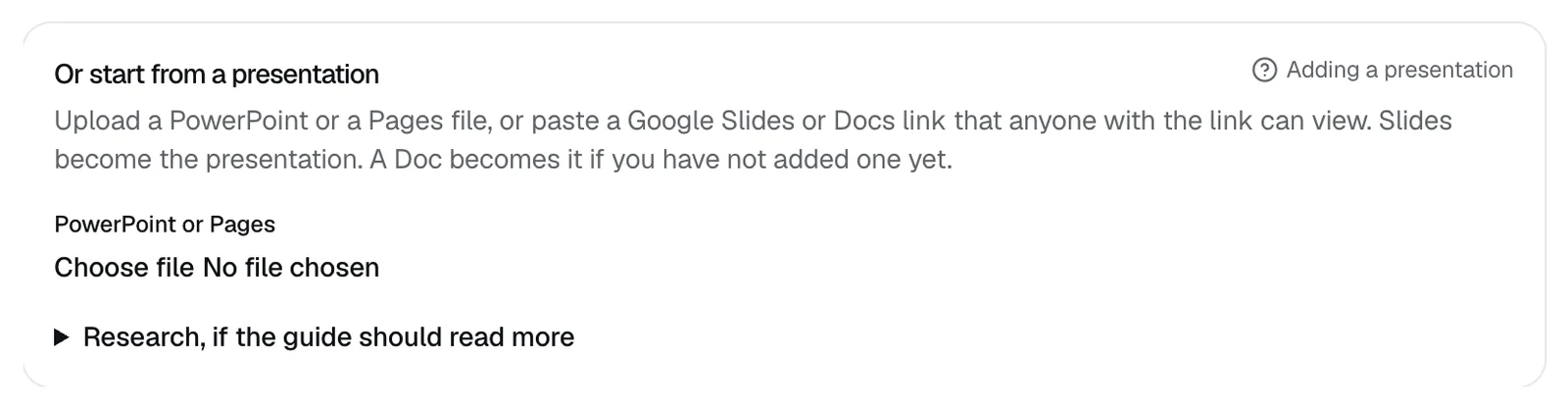
Files and links
- Files must be under 8 MB.
- Keynote and PDF files aren't accepted, so export them to PowerPoint first.
- A Google Slides link replaces your presentation. A Google Docs link becomes the presentation if you don't have one yet; otherwise the guide reads it as research.
- You can add up to 4 links. Other https pages become research the guide can answer from.
- Or paste a doc takes notes you paste in, at least 40 characters, for the guide to answer from.
- Presenter notes can be up to 2,000 characters a slide.
- If a Google file isn't shared, you see "Share that Google file so anyone with the link can view, then paste it again."
What visitors see
- Watch the presentation, on the demo page's start screen, opens your slides.
- One slide at a time, with its title and up to 8 lines of text.
- Previous slide and Next slide move through the slides.
- Play with notes reads each slide's notes aloud, or its text when it has no notes, and moves to the next slide by itself. Pause and Resume control it.
- The guide answers questions from your slides, notes, and research, and cites the slide it used. See How does the demo answer questions?
- Opening the presentation doesn't save the visitor as a lead or send you an alert.
Related questions
Didn't answer your question?
Talk to us with your demo link and the email you signed up with, or write to hello@demopage.io. We'll answer, and add it to the Help Center.