Short answer
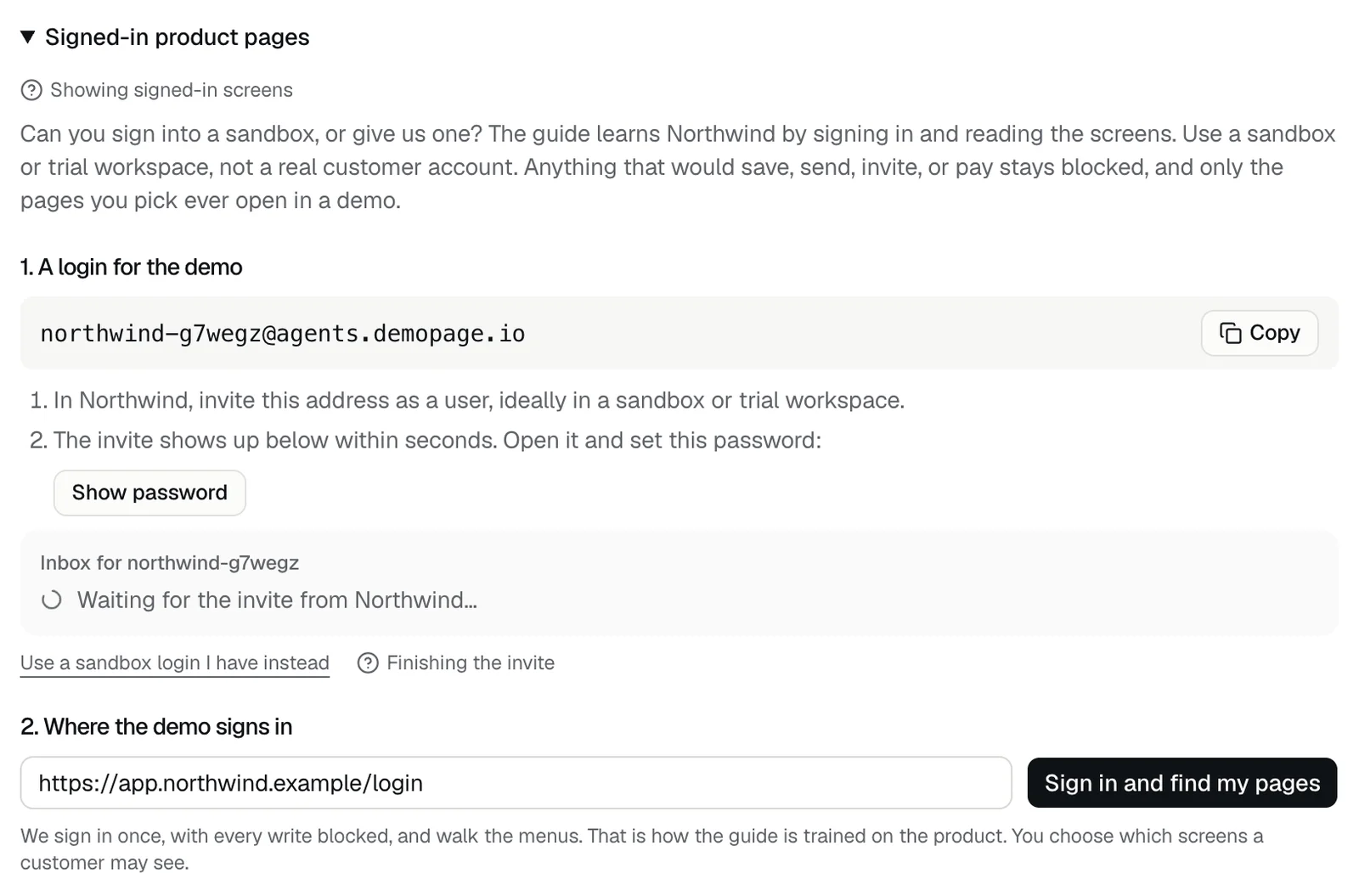
A DemoPage login is an email address at agents.demopage.io that you invite into your product like any other user. DemoPage reads the invites, sign-in codes, and links your product sends to it, so the guide can sign in to your sandbox. Create it under Signed in in the setup steps, or under Demo settings, in Signed-in product pages, once you're live.
Steps
- 1Open Signed in in the setup steps, or Demo settings, then Signed-in product pages, and press Create a DemoPage login.
- 2Press Copy beside the address. It looks like yourcompany-abc123@agents.demopage.io.
- 3In your product, invite that address as a user, ideally in a sandbox or trial workspace.
- 4The invite shows up in the inbox under the address. Open it, press Show password, and set that password for the new user.
- 5Enter your sign-in page and press Sign in and find my pages. See How do I show my product's signed-in screens?
What it can read
- Every email sent to the address, kept for 14 days.
- The inbox shows the latest 5 messages. Links open with Open link, and sign-in codes show as buttons that copy the code.
- It can't read codes sent anywhere else, such as a text message to a phone.
Good to know
- Each product has one DemoPage login.
- Saving a login with Use a sandbox login I have instead replaces it.
- Show password hides the password again after a minute. You can show it 20 times a day; after that the portal says "You've shown the password a lot today. Try again tomorrow."
- The password stays on our server and is never shown in a demo. See Does the AI see my sandbox password?
- If no invite arrives, check that you invited the exact address. See Sign in and find my pages didn't work.
Related questions
Didn't answer your question?
Talk to us with your demo link and the email you signed up with, or write to hello@demopage.io. We'll answer, and add it to the Help Center.